post · January 19, 2025 · 12 min read
Terraform Journey – Think as a DevOps Engineer
By Saleh Elnagar
You know, when I first started using Terraform and Infrastructure as Code on Azure, I honestly didn’t realize how crucial static code analysis could be. At the time, I was more focused on just getting things deployed quickly into Azure subscriptions and keeping costs down. But as our Azure footprint grew—more resource groups, more VNets, more AKS clusters—I started noticing all sorts of issues: misconfigured Network Security Groups, overly permissive Azure Storage accounts, Key Vaults without proper firewall rules… things that just felt “off.” That’s when I learned the hard way that waiting until the last moment to catch these problems can be a real pain.
Static code analysis tools for IaC completely changed the game. Instead of just hoping my Terraform configs for Azure were correct, I could run them through automated checks and catch potential security holes and compliance issues before deploying to an Azure subscription. It’s like having a second pair of eyes baked into your Azure DevOps or GitHub workflow—eyes that never get tired and never skip a line of code.
For senior engineers and team leads working in DevSecOps on the Microsoft stack, integrating these tools into Azure DevOps pipelines or GitHub Actions isn’t just a “nice-to-have.” It’s a key step toward making the whole delivery pipeline more predictable and trustworthy. Yes, you’ll spend a bit more time upfront wiring everything into your build and release pipelines, but in the long run, you’ll save hours (and a lot of late-night troubleshooting) by avoiding surprises in production. Plus, you build real confidence inside the team: everyone knows their Terraform or Bicep code is validated against best practices and organizational policies before it ever reaches an Azure environment.
If you’ve been holding off on integrating static code analysis into your Terraform/Azure workflow, that’s completely understandable—it feels like “one more thing to manage” on top of everything else in Azure DevOps. But once it’s in place, it’s a huge relief. Your code becomes stronger, more secure, and you end up sleeping better at night knowing you’re not missing something basic like a public-facing Storage account or an open NSG inbound rule from 0.0.0.0/0.
So yes, this might not be the flashiest topic out there, but it’s one that really pays off—especially in Microsoft and Azure-centric environments. Try it, tailor it to your Azure governance model, and watch as both your team and your cloud infrastructure start running a whole lot smoother.
IaC Static Code Analysis on Azure: Practical Steps to Get Started
In the previous post, I talked about why static code analysis for your Terraform configurations targeting Azure is worth the effort. Now, let’s get into practical steps to help you get started and keep things running smoothly in Azure DevOps, GitHub, or any Microsoft-centric setup. It can feel a bit complex at first, but once you’ve wired this into your pipelines, it starts to feel like a well-organized toolbox you can rely on for every deployment.
1. Pick the Right Tools (with Azure in Mind)
There’s no “one-size-fits-all” tool, and it may take a few iterations to find a combination that fits your workflow and your organization’s Azure policies. Start by looking for tools that:
- Understand Terraform and Azure providers well
- Plug easily into Azure DevOps Pipelines or GitHub Actions
- Can complement Azure-native controls like Azure Policy and Microsoft Defender for Cloud
You don’t need to be perfect from day one—pick something reliable, start small (maybe in a single repo or project), and refine as you go.
2. Set Up Clear Rules and Standards for Azure
Before running any scans, decide what matters most for your Azure environment:
- Are we prioritizing security misconfigurations in NSGs, Storage accounts, Key Vaults, and AKS?
- Are we focusing on cost optimizations (e.g., disallowing certain VM SKUs or enforcing auto-shutdown on dev environments)?
- Are we aligning with compliance frameworks that map to Azure services (e.g., CIS benchmarks, internal governance rules)?
Write these down and make them visible—Azure DevOps wikis, README files, or internal documentation. When your standards are explicit, it’s much easier to turn them into Policy-as-Code and static checks.
3. Automate Everything in Azure DevOps / GitHub
If you’re still running checks manually on your workstation, you’re missing one of the biggest benefits. Integrate static analysis into your CI/CD so that every commit and every Pull Request is scanned automatically:
- Use Azure DevOps YAML pipelines to run
terraform fmt,terraform validate, and linters on every PR. - Use GitHub Actions workflows for repositories hosted on GitHub, especially if you’re using GitHub Advanced Security alongside.
Automation ensures nobody “forgets” to run the checks, and it makes quality and security part of the normal development process.
4. Provide Fast Feedback to Engineers
When engineers push code to an Azure DevOps repo or open a PR in GitHub, they should see scan results quickly—ideally right inside the PR UI. Quick feedback lets them fix issues before they become bigger problems and keeps the dev loop tight:
- Failing the build on critical issues
- Adding comments or annotations on the PR for failed rules
- Linking back to internal or Microsoft documentation where relevant
5. Iterate and Improve Continuously
Static analysis in an Azure environment is not a one-time setup. Keep refining:
- Update rules as new Azure services and features are introduced
- Add new checks when your security or compliance teams define new standards
- Regularly review false positives and tune the rule sets
Treat this like any other product: iterate, gather feedback from engineers, and keep improving.
This list is just the beginning. In future parts, we’ll dive deeper into each of these steps with Azure-specific examples, including some scenarios from real-world Azure DevOps projects and what went well (and what really didn’t).
IaC Static Code Analysis on Azure : Choosing the Right Tools & Automating PR Checks
In Part 1, we talked about why static code analysis for IaC (especially Terraform on Azure) is worth the effort. In Part 2, we walked through foundational practices. Now let’s dig deeper into two crucial aspects for Microsoft-centric teams: picking the right tools and integrating them into your PR workflow in Azure DevOps and/or GitHub.
Choosing the Right Tools for Azure-focused Terraform
There’s no single magic tool that solves everything. A solid starting point is a combination of:
- Formatters and validators (for basic Terraform hygiene)
- Linters (for best practices and provider-specific checks)
- Policy-as-Code tools that understand your Azure guardrails
- Security scanners tuned for Azure resources
Examples in an Azure context:
- A Terraform linter that knows Azure provider nuances (e.g., recognizing when an NSG rule is too permissive for an Azure subnet).
- A static analysis or policy engine that can enforce corporate rules mapped to Azure Policy or Microsoft Defender for Cloud recommendations.
As you gain experience, you can stack multiple tools together—for example: terraform fmt + terraform validate + tflint + a security scanner.
Integrating PR Checks for Better Governance
A powerful place to start is at the Pull Request level:
- In Azure DevOps, configure a pipeline that runs on PR updates and reports results directly into the PR.
- In GitHub, use a GitHub Actions workflow that leaves checks and annotations on the PR.
Typical commands in a pipeline:
terraform fmt -check– ensure formatting is consistent.terraform validate– basic validation of syntax and configuration.tflint– spot deprecated syntax, wrong argument types, or Azure provider-specific issues.tfsecorcheckov– highlight security risks such as public Storage accounts, open NSG rules, or missing encryption at rest.
Suggested Tools and Approaches (Azure-oriented)
- Terraform fmt & validate
Quickly verify formatting and validate Terraform configs before deploying to Azure. This keeps basic issues from ever reaching an Azure subscription. - Linters (e.g., TFLint)
Helpful for catching common mistakes and enforcing best practices specific to Azure (for example, discouraging use of outdated VM SKUs or insecure SSL policies on Azure Application Gateway). - Policy-as-Code Tools (e.g., OPA/Conftest, or integration with Azure Policy)
Use these to define Azure-specific rules like:- “No Azure Storage account should allow public access.”
- “All Azure SQL Databases must have Transparent Data Encryption enabled.”
- Security Scanners (e.g., tfsec, checkov)
These look deeper for known security issues in Azure resources, such as missing HTTPS-only settings, non-encrypted disks, or public-facing load balancers. - Integration with Azure DevOps / GitHub CI
Hook these tools into Azure DevOps pipelines or GitHub Actions so every PR triggers automatic checks. You can use build policies in Azure Repos or required checks in GitHub branches to enforce these gates.
By gradually layering these tools and integrating checks at the PR stage, you reduce noise later in the release pipeline and build confidence in your IaC practices. Later posts can go deeper into refining these processes, measuring how often checks fail, and scaling this out across multiple Azure DevOps projects and teams.
When you’re ready to level up your IaC game on Azure, start experimenting with a few tools and hooks in a single repo. It’s far less stressful to catch a misconfigured NSG rule in a PR than to troubleshoot it after it’s deployed into a production VNet.
IaC Static Code Analysis on Azure: Beyond the Basics
At this point, you already know how crucial static checks are for Terraform (or Bicep/ARM templates) in your Azure environment. Now let’s push a step further and talk about more advanced practices that fit nicely into Azure DevOps and the broader Microsoft ecosystem.
1. Layered Scanning with Security & Policy Tools
Security Scanners (e.g., tfsec, checkov)
These tools help detect deeper misconfigurations in Azure resources:
- Storage accounts without
https_only - NSG rules allowing inbound
*from the internet - Disks or databases not encrypted at rest
Policy-as-Code (e.g., OPA/Conftest, Azure Policy as code)
Use Policy-as-Code to formally capture your Azure rules, such as:
- “All data at rest must be encrypted with customer-managed keys in Azure Key Vault.”
- “No public IPs in production subscriptions.”
When a policy is violated, your pipeline fails early, and developers get instant feedback.
2. Enforcing Standards with Linting
TFLint
A linter like TFLint helps enforce conventions across all your Terraform code for Azure:
- Ensuring tags (like
environment,business_unit,cost_center) are always present - Verifying Azure-specific naming conventions (e.g., resource group names, Storage account names)
- Highlighting usage of discouraged or deprecated resource arguments
Linting may feel repetitive, but it’s a big part of keeping IaC consistent and readable across multiple Azure DevOps repos and teams.
3. Automating Everything in Your Azure Pipelines
Your goal is to make advanced scans as routine as unit tests:
- Integrate security scanners, linters, and policy checks into all relevant stages of Azure DevOps pipelines or GitHub Actions.
- For production-bound changes, enforce stricter policies or additional checks (e.g., integration with Microsoft Defender for Cloud recommendations).
- Fail fast: if a policy or security check fails, the pipeline stops and engineers are notified immediately via Azure DevOps or GitHub status checks.
4. Avoiding Tool Overload
Tool sprawl is real. To avoid overwhelming your team:
- Start with one or two high-value tools (for example, a security scanner plus TFLint).
- Prove their value—track how many issues they catch and how they reduce incidents in Azure.
- Educate the team about what each check does and why it matters for your Azure environment.
Once your team is comfortable, you can expand your toolset.
5. Looking Ahead
The next logical step is to measure how effective your static code analysis is:
- How often do checks fail per Azure DevOps pipeline run?
- Which rules are most frequently violated?
- Are you seeing fewer misconfigurations in Azure after implementing these checks?
Answering these questions helps you refine rules, reduce noise, and keep the focus on real risk.
Final Thoughts
Advanced scanning tools and policy enforcement might feel intimidating initially, especially when you connect them to production-bound pipelines in Azure. Start small: implement them in a single repo or a non-critical subscription, refine your rules based on real feedback, and then roll them out more widely.
Over time, your IaC practice becomes secure-by-design: issues get flagged long before they hit an Azure subscription, and Azure DevOps becomes the guardrail that keeps your teams aligned with both best practices and organizational standards.
Conquering Drift in Azure with IaC: Why Detection Matters
That uneasy feeling when your Azure production environment doesn’t quite match what’s in your Terraform repo—despite “doing everything right”? That’s usually drift.
It often happens when someone makes a quick change directly in the Azure Portal, runs a one-off Azure CLI command, or adjusts a setting in the Azure portal “temporarily” and never updates the repository. Over time, those “temporary” fixes accumulate, and your once-predictable environment starts behaving like a wildcard.
What Is Drift Detection in Azure?
Drift occurs when the state of your deployed resources in Azure no longer matches what’s declared in your IaC code:
- An NSG rule opened “just for testing”
- A public IP assigned directly in the portal
- A Key Vault firewall rule disabled in an emergency
If it’s not captured in version control, it’s invisible to your normal review processes—and it’s just a matter of time before something breaks.
Why It Matters (Especially on Azure)
- Prevent Surprises
Untracked modifications to Azure resources can cause strange behavior during deployments, rollbacks, or autoscaling events. - Maintain Confidence in Releases
When you know your Terraform state and your Azure environment are aligned, deploying more frequently becomes less stressful. - Improve Security & Compliance
Manual changes can bypass Azure Policy, Azure Blueprints, or internal governance. Drift detection highlights where someone stepped outside the code path.
Three Steps to Conquer Drift in Azure
1. Choose a Drift Detection Approach
Common strategies include:
- Running
terraform planregularly against the live Azure state to detect unexpected changes. - Using policy engines (like OPA/Conftest or Azure Policy with “deny” or “audit” effects) to flag configuration that does not match your desired state.
- Leveraging Microsoft tools like Azure Resource Graph or Defender for Cloud recommendations to find resources that don’t match expected baselines.
2. Automate Regular Checks in Azure DevOps
Schedule recurring checks as Azure DevOps pipelines or GitHub Actions:
- Nightly or weekly
terraform planagainst your Azure environment to spot drift early. - Automated reporting to a Teams channel or email if unexpected changes are detected.
The earlier you catch drift, the easier—and cheaper—it is to fix.
3. Enforce the IaC as the Source of Truth
When drift is detected:
- Decide whether to roll the change back in Azure or incorporate the change into Terraform/Bicep.
- Make it a team rule: all Azure infrastructure changes go through code reviews and pipelines, not direct portal edits.
This cultural shift is as important as any tool you choose.
A Smoother Path Forward on Azure
When drift detection becomes routine in your Azure DevOps process, you invest in predictability and peace of mind. No more digging through Azure Activity Logs trying to figure out who changed what two months ago. Instead, you have:
- A clear, version-controlled definition of your Azure infrastructure
- Automated checks to ensure reality matches the code
- A consistent, auditable path for making changes
Pro Tip: Combine drift detection with solid DevOps practices on the Microsoft stack: peer reviews in Azure Repos or GitHub, automated testing, branch policies, and structured monorepos or well-organized Terraform modules/Bicep libraries. Over time, this combination lets you release changes into Azure with genuine confidence—not crossed fingers.
Quick AI Summary
You know, when I first started using Terraform and Infrastructure as Code on Azure, I honestly didn’t realize how crucial static code analysis could be. At the time, I was more focused on just getting things deployed quickly into Azure subscriptions and keeping costs down.
Original article body above remains unchanged.
Continue Reading
Related Posts
Repository: https://github.com/SalehElnagar/azure-terraform-conventions This article walks through how to think about Azure naming conventions and how to turn those decisions into code using the azure-terraform-conventions GitHub repository. That repo contains: The goal is not “just use whatever the repo does”. The goal is: capture your organization’s naming decisions once, codify them with this library, and then […]
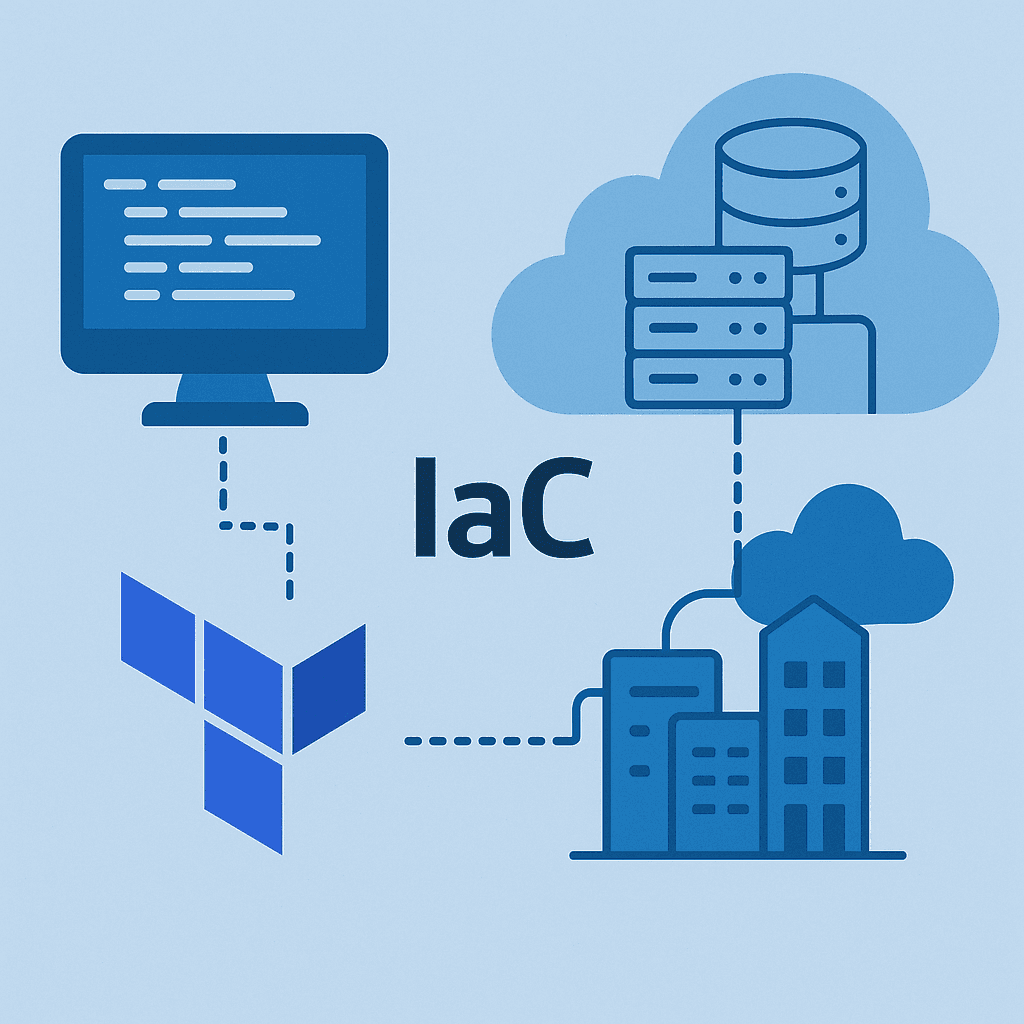
Infrastructure as Code (IaC) is now the standard way to manage and provision cloud resources, and Terraform is one of the most widely adopted tools to do this on Azure. But Terraform needs credentials to talk to Azure: client IDs, client secrets, certificates, tokens, subscription IDs, and more. Those credentials are extremely powerful. If they […]
When I sit down to craft a Terraform module, I ask myself how future me—and the teams inheriting my code—will reason about every decision. I remind myself to start with clarity, keep security opinionated but flexible, and prove the workflow end to end before anyone else runs terraform apply. I literally keep a checklist on […]
Get New Playbooks Weekly
Join the newsletter for practical Azure, Terraform, and DevSecOps guides. One actionable email per week.
Comments
Enable comments by setting NEXT_PUBLIC_GISCUS_* environment variables.