post · February 11, 2025 · 10 min read
Why Secret Management Matters in Terraform on Azure
By Saleh Elnagar
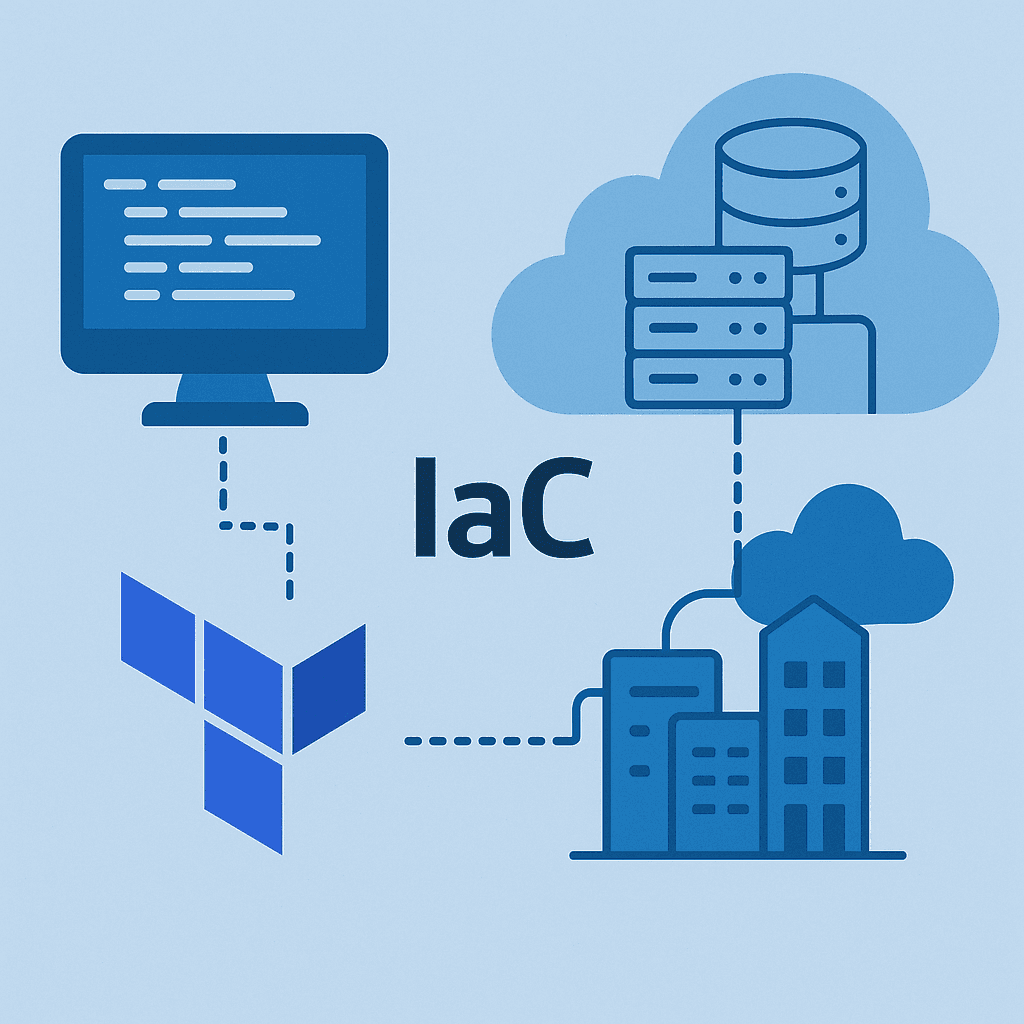
Infrastructure as Code (IaC) is now the standard way to manage and provision cloud resources, and Terraform is one of the most widely adopted tools to do this on Azure.
But Terraform needs credentials to talk to Azure: client IDs, client secrets, certificates, tokens, subscription IDs, and more. Those credentials are extremely powerful. If they leak, whoever has them can often recreate, modify, or destroy your entire environment.
So, managing tokens and keys in Terraform is not a minor detail — it’s a core security concern. This article focuses specifically on Terraform + Azure, and walks through patterns, examples, and best practices for handling secrets securely and maintainably.
How Terraform Authenticates to Azure
Terraform uses providers to communicate with cloud platforms. For Azure, the main provider is:
provider "azurerm" {
  features {}
}
The azurerm provider can authenticate in multiple ways. The most important Azure-centric options are:
- Environment variables with a Service Principal
- Azure CLI sign-in (
az login) - Managed Identities (ideal for Terraform running in Azure)
- OIDC / Federated Credentials (e.g., GitHub Actions, Azure DevOps)
We’ll focus on approaches that work well in automation and CI/CD.
1. Service Principal via Environment Variables (ARM_*)
This is a very common pattern for automation.
A Service Principal has:
client_id(appId)client_secret(password) or certificatetenant_idsubscription_id
Instead of hardcoding these values into Terraform configuration, you pass them via environment variables before running terraform plan or terraform apply.
export ARM_CLIENT_ID="your_client_id"
export ARM_CLIENT_SECRET="your_client_secret"
export ARM_SUBSCRIPTION_ID="your_subscription_id"
export ARM_TENANT_ID="your_tenant_id"
Terraform then uses these implicitly:
provider "azurerm" {
  features {}
}
You don’t specify the client ID or secret in the HCL. The azurerm provider automatically picks them up from ARM_CLIENT_ID, ARM_CLIENT_SECRET, etc.
This gives you two big benefits:
- No secrets inside
.tffiles. - No secrets committed to git.
2. Azure CLI Authentication (for local development)
For local development, a simple and secure way is to authenticate with the Azure CLI:
az login
az account set --subscription "your-subscription-id"
Then use a minimal provider:
provider "azurerm" {
  features {}
}
In this mode, Terraform uses the same token as the Azure CLI user. This is convenient for interactive workflows but not recommended for automated CI/CD pipelines, where you want non-interactive service principals, managed identities, or OIDC.
3. Managed Identities (when Terraform runs inside Azure)
If Terraform runs inside Azure (for example in an Azure VM, Azure Container Apps, or Azure Automation), you can configure a Managed Identity and assign RBAC roles to it. The provider can then pick that up automatically, without you managing any client secrets.
For example, for a system-assigned managed identity, you don’t set ARM_* variables. The resource gets its own identity, and azurerm uses it.
This is one of the most secure patterns because:
- No secrets are stored or rotated manually.
- Identity is bound to the Azure resource running Terraform.
4. OIDC / Federated Credentials (Modern CI/CD)
Modern Azure authentication strongly favors federated identity (OIDC) over long-lived client secrets. In GitHub Actions or Azure DevOps, you configure:
- A federated credential on the Azure AD application (Service Principal).
- The pipeline exchanges its OIDC token for an Azure token.
Terraform sees a normal AAD token, and you don’t have to manage client secrets at all. This is more secure and reduces secret sprawl.
Best Practices for Handling Secrets
Here are the core principles you should apply when dealing with tokens and keys in Terraform for Azure.
1. Never Hardcode Secrets in Terraform Code
Do not write this:
provider "azurerm" {
  features {}

  client_id       = "your_client_id"
  client_secret   = "super-secret"
  tenant_id       = "your_tenant_id"
  subscription_id = "your_subscription_id"
}
This leads to:
- Secrets in git history
- Secrets in pull requests and code reviews
- Secrets potentially copied in logs and screenshots
Instead, rely on environment variables or a secret manager (see next sections).
2. Use Environment Variables (Securely)
There are two main environment-variable patterns:
a) Provider-specific variables (ARM_*)
As shown earlier:
export ARM_CLIENT_ID="your_client_id"
export ARM_CLIENT_SECRET="your_client_secret"
export ARM_SUBSCRIPTION_ID="your_subscription_id"
export ARM_TENANT_ID="your_tenant_id"
b) Terraform variables via TF_VAR_*
Any Terraform variable can be set via environment variable with the TF_VAR_ prefix. For example:
variable "admin_password" {
  type      = string
  sensitive = true
}

resource "azurerm_linux_virtual_machine" "vm" {
  # ...
  admin_username = "azureuser"
  admin_password = var.admin_password
}
Set the variable as:
export TF_VAR_admin_password="SomeVeryStrongPassword123!"Now Terraform pulls that value automatically.
Important:
- Ensure your shell history isn’t logging these commands in plaintext (e.g., avoid
history, use.envfiles with proper OS-level permissions, etc.). - Use environment variables mainly as an interface between your secret manager / CI system and Terraform, not as long-term storage.
3. Mark Variables and Outputs as Sensitive
Whenever you define secrets as variables, mark them sensitive = true:
variable "sql_admin_password" {
  type      = string
  sensitive = true
}

output "sql_admin_password" {
  value     = var.sql_admin_password
  sensitive = true
}
This has effects such as:
- Terraform will redact sensitive values from the CLI output.
- They won’t be shown in plain text in logs from
planandapply.
Note: Sensitive values can still exist in the state file; sensitivity is about display/logging, not about at-rest encryption.
4. Never Print Secrets in Logs
Avoid patterns like:
output "debug_creds" {
  value = {
    client_id     = var.client_id
    client_secret = var.client_secret
  }
}
Even with sensitive = true, people are often tempted later to temporarily make them non-sensitive while debugging — and that’s how secrets leak into logs and chat screenshots.
Stick to the rule:
- Only output what you genuinely need for debugging or later consumption.
- Avoid outputs for secrets entirely in most cases.
Using Azure Key Vault with Terraform
Secret managers are the backbone of secure secret handling. On Azure, the primary tool is Azure Key Vault.
Key points:
- Secrets are stored centrally in Key Vault.
- Access is controlled via RBAC or access policies.
- Terraform reads secrets at runtime using Key Vault data sources.
1. Basic Pattern: Read a Secret from Azure Key Vault
Assuming Key Vault is already created and contains a secret sql-admin-password:
data "azurerm_key_vault" "example" {
  name                = "my-key-vault-name"
  resource_group_name = "rg-secure"
}

data "azurerm_key_vault_secret" "sql_admin_password" {
  name         = "sql-admin-password"
  key_vault_id = data.azurerm_key_vault.example.id
}
Use it in a resource:
resource "azurerm_mssql_server" "sql" {
  name                         = "my-sql-server-001"
  resource_group_name          = "rg-secure"
  location                     = "westeurope"
  version                      = "12.0"
  administrator_login          = "sqladminuser"
  administrator_login_password = data.azurerm_key_vault_secret.sql_admin_password.value
}
This pattern keeps the secret in Key Vault and never hardcodes it in Terraform code.
2. Important Caveat: Secrets in Terraform State
When you use data.azurerm_key_vault_secret.*.value, that value usually ends up in the Terraform state file because it’s part of the resource configuration.
This means:
- The state file is now sensitive and must be protected (encryption at rest, restricted access).
- Don’t treat state as “just another file” — it literally contains the keys to your kingdom.
We’ll talk about protecting state shortly.
3. Creating and Storing Secrets with Terraform
You can also create secrets in Key Vault using Terraform:
resource "azurerm_key_vault_secret" "api_key" {
  name         = "app-api-key"
  value        = random_password.api_key.result
  key_vault_id = azurerm_key_vault.main.id
}

resource "random_password" "api_key" {
  length  = 32
  special = true
}
This approach:
- Lets Terraform generate and store a secret securely in Key Vault.
- You should not output the secret value unless absolutely necessary.
Again, remember that the secret will appear in the Terraform state file because Terraform knows the value.
Managing Secrets in CI/CD (Azure DevOps & GitHub Actions)
In real-world Azure environments, Terraform usually runs inside a CI/CD system. Two common ones are Azure DevOps and GitHub Actions.
The high-level goal is:
- Store secrets in the pipeline’s secure storage.
- Use them to fetch Azure tokens or Key Vault secrets.
- Pass only necessary values into Terraform as environment variables or
TF_VAR_*.
Example: GitHub Actions with OIDC and Terraform
A simplified GitHub Actions workflow:
name: Terraform Apply

on:
  workflow_dispatch:

jobs:
  terraform:
    runs-on: ubuntu-latest

    permissions:
      id-token: write
      contents: read

    steps:
      - name: Checkout
        uses: actions/checkout@v4

      - name: Azure Login via OIDC
        uses: azure/login@v2
        with:
          client-id: ${{ secrets.AZURE_CLIENT_ID }}
          tenant-id: ${{ secrets.AZURE_TENANT_ID }}
          subscription-id: ${{ secrets.AZURE_SUBSCRIPTION_ID }}

      - name: Setup Terraform
        uses: hashicorp/setup-terraform@v3

      - name: Terraform Init
        run: terraform init

      - name: Terraform Apply
        run: terraform apply -auto-approve
In this design:
- GitHub uses OIDC to authenticate to Azure (no client secret in the workflow).
- Terraform uses the OIDC-based token obtained by
azure/loginto access Azure viaazurermprovider. - Any additional secrets (e.g., Key Vault access config) can live in GitHub encrypted secrets and be passed as
TF_VAR_orARM_*when needed.
Example: Azure DevOps Pipelines with Service Connection
In Azure DevOps, you often create a Service Connection to Azure:
- The Service Connection may use a Service Principal or Managed Identity.
- Pipelines reference this service connection.
You can then:
- Use
AzureCLI@2orAzurePowerShell@5tasks to login. - Call Terraform with environment variables set by the task.
- Store extra secrets in variable groups or library with secret values.
Protecting State and Outputs
Secrets don’t only live in code; they also leak into state and outputs.
1. Use a Remote Backend for State
Do not leave Terraform state as terraform.tfstate on developers’ laptops. Use a remote backend, typically Azure Storage:
terraform {
  backend "azurerm" {
    resource_group_name  = "rg-terraform-state"
    storage_account_name = "tfstateaccount001"
    container_name       = "tfstate"
    key                  = "prod.terraform.tfstate"
  }
}
Best practices:
- Enable encryption at rest (default for Azure Storage).
- Restrict access using RBAC, private endpoints, or firewall rules.
- Consider separate state files per environment (dev/test/prod).
Because secrets may end up in state, restriction on who can read the state is just as important as who can run Terraform.
2. Limit Sensitive Values in State Where Possible
You can’t always avoid secrets in state, but you can minimize them:
- Don’t output secrets unless absolutely needed.
- Avoid using sensitive values as resource names or tags.
- For some workflows, use Key Vault references (e.g., in App Service) so that Terraform only refers to Key Vault secret names, not actual secret values.
Example: Using Key Vault references in an App Service connection string:
resource "azurerm_app_service" "web" {
  # ...
  app_settings = {
    "ConnectionStrings__DbPassword" = "@Microsoft.KeyVault(SecretUri=${azurerm_key_vault_secret.db_password.id})"
  }
}
Here, the reference string contains the secret URI, not the value. Consumers resolve it at runtime.
Operational Practices: Rotation, Least Privilege, and Governance
Technical tricks are only half the story. Sustainable secret management also depends on operational discipline.
1. Principle of Least Privilege
Your Terraform Service Principal / Managed Identity should:
- Have only the roles it truly needs (e.g.,
Contributoron a specific subscription or resource group, notOwnerover the entire tenant). - Not be reused for unrelated systems or teams.
You can grant fine-grained roles like:
Network Contributorfor networking modules.Storage Blob Data Contributorfor state storage.- Specific roles for Key Vault access (
Key Vault Secrets User, etc. depending on RBAC mode).
2. Regular Secret Rotation
If you still use client secrets:
- Rotate them regularly.
- Update the secret in Azure AD App Registration, update Key Vault or CI secret storage, then re-run Terraform or pipelines as needed.
Long-lived secrets are more likely to be leaked somewhere over time. OIDC/federated identity helps avoid this altogether, which is why Azure strongly recommends it.
3. Audit and Monitoring
Use Azure tools to keep an eye on your secret usage:
- Enable diagnostic logs and access logs on Key Vault (who read which secret when).
- Monitor audit logs for your Terraform Service Principal (sign-ins, permission changes).
- Use Azure Policy to enforce certain patterns (e.g., all Key Vaults must have soft-delete, purge protection, and private endpoints).
4. Governance and Education
Even the best technical setup fails if people bypass it. A few governance ideas:
- Document a “Terraform + Azure Secrets” standard for your org.
- Require code review on Terraform changes, especially anything involving identity or access.
- Provide templates / modules that encode best practices so teams don’t reinvent insecure wheels.
Conclusion
Managing tokens and keys in Terraform on Azure is not just a configuration detail — it is a core part of your security posture.
Key takeaways:
- Never hardcode secrets in Terraform configuration or commit them to source control.
- Use Azure-friendly authentication: Service Principals, Managed Identities, or OIDC-based federated identities.
- Prefer Azure Key Vault for storing secrets, and fetch them with Terraform data sources.
- Treat Terraform state as sensitive, use remote backends (Azure Storage), and lock down access.
- Use
sensitive = truefor variables and outputs, and avoid logging or printing secrets. - Build strong operational practices: least privilege, rotation, auditing, and clear governance.
With these practices in place, Terraform becomes not just a powerful way to provision Azure, but a secure and well-governed part of your overall cloud strategy.
Quick AI Summary
Infrastructure as Code (IaC) is now the standard way to manage and provision cloud resources, and Terraform is one of the most widely adopted tools to do this on Azure. But Terraform needs credentials to talk to Azure: client IDs, client secrets, certificates, tokens, subscription IDs, and more.
Original article body above remains unchanged.
Continue Reading
Related Posts
Repository: https://github.com/SalehElnagar/azure-terraform-conventions This article walks through how to think about Azure naming conventions and how to turn those decisions into code using the azure-terraform-conventions GitHub repository. That repo contains: The goal is not “just use whatever the repo does”. The goal is: capture your organization’s naming decisions once, codify them with this library, and then […]
When I sit down to craft a Terraform module, I ask myself how future me—and the teams inheriting my code—will reason about every decision. I remind myself to start with clarity, keep security opinionated but flexible, and prove the workflow end to end before anyone else runs terraform apply. I literally keep a checklist on […]
Ensuring our Terraform modules are well-documented is a key part of our development process. But, let’s be honest, keeping docs up-to-date is a tedious task! Luckily, there’s an efficient tool out there that makes the process simpler and quicker – terraform-docs! Terraform-docs is an open-source, cross-platform tool, that can automatically generate comprehensive documentation for your […]
Get New Playbooks Weekly
Join the newsletter for practical Azure, Terraform, and DevSecOps guides. One actionable email per week.
Comments
Enable comments by setting NEXT_PUBLIC_GISCUS_* environment variables.